Yiwei Sang
Home/Work/About
Let’s Create Something Together
sangqiqi1001@gmail.com

To the left? To your left!
When you can't point to the same thing, collaboration breaks down. We built a system to fix that.
Embodied Interaction · Remote Collaboration · Research-driven Design
The Challenge
Remote meetings are routine. But the moment a real physical object enters the conversation, every tool we have breaks down.
Role:
Sole researcher and designer. From formative study through prototype to academic publication.
Duration:
2025 – 2026 · Master's Thesis Project
THE PROBLEM
"A little to the left — no, your left."
When two people talk about a physical object over video, two embodied cues disappear: where your partner is looking, and where they're pointing.
Without these, establishing joint attention is expensive. Every spatial reference becomes a negotiation. The problem isn't bandwidth. It's embodiment.

How I deal with them?
DESIGN DECISIONS
The System — What it is and how it works.
The Shared Object Workbench is a two-ended desktop system. Both sides have identical hardware.
Roles — who presents, who guides — are decided per session, not by the hardware you own.
Local End · The Object Stage
A projector–camera unit sits on the desk, pointing straight down. It defines a fixed working area marked by a positioning grid.
Remote End · The Foldable Screen Interface
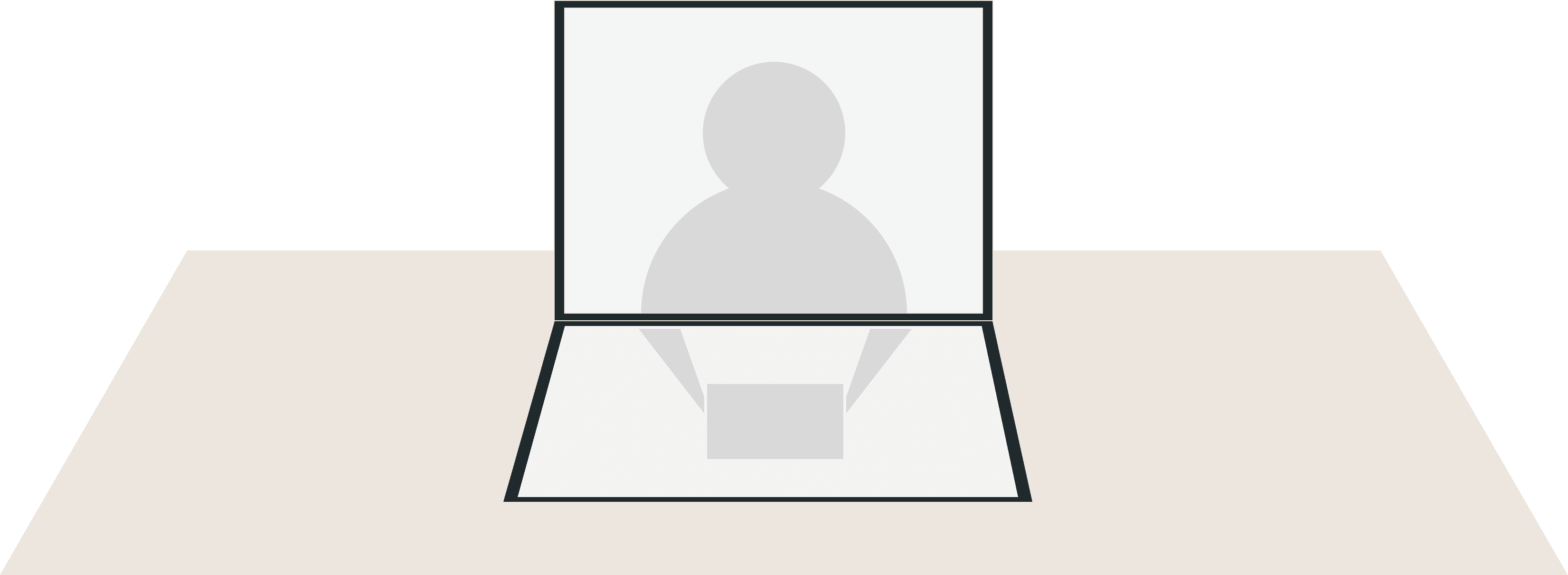
The remote partner uses a foldable screen device: upper panel shows the partner's face, lower panel shows the stabilized top-down view of the object. This layout recreates the feeling of sitting across from someone — looking down at the object together.


Session Flow
Either party can initiate.


The local user activates their device with a physical twist — this powers the unit on, starts the camera stream, and signals consent, all in one gesture.


Turn on the device to automatically calibrate and detect object locations


Redirect the remote user’s gaze and focus back to the object using a soft spot of light to guide their attention. A circular marker is used to indicate a clear point of focus. Projected directly onto the actual surface.

The system does not require either party to mentally flip the image; instead, it allows users to select and move points directly within the real-world coordinates mapped on the interface, thereby bypassing the mirroring issue altogether.
The users then begin communicating, and the remote user interacts with the screen at the other end—for example, zooming in and out, moving the cursor, and switching the screen view.


When a screenshot is taken, the projection grid pulses once — a physical-space notification for a user who isn't looking at a screen. After the session ends, a marker summary is auto-generated: positions, timestamps, and any saved screenshots. Raw video is never stored.

Three mechanisms. Each one grounded in theory.
01
Fixed Top-down Stage
Joint attention requires both people to perceive the same object in the same spatial frame.
A handheld webcam can't give you that. A fixed, calibrated top-down stage can.

02
Gaze and Pointing Projected onto the Object
The lost cues are spatial and embodied — so we restore them in physical space, not on a screen overlay.
A soft light spot for attention. A ring marker for an explicit point of interest. Projected directly onto the real surface.

03
Spatial Instructions for Bypassing the Mirror
Video calls display the image in a mirrored orientation. “Left” becomes “right.”
The system does not require either party to mentally flip the image; instead, it allows users to select and move points directly within the real-world coordinates mapped on the interface, thereby bypassing the mirroring issue altogether.

PROTOTYPE
Two prototypes. Two different things to prove.
Interaction Prototype · Projector + Tablet
A functional simulation of the full indication loop — end to end, at the level of user experience. Remote partner taps on the tablet. Cues appear on the real object in the correct orientation.

Engineering Prototype · Raspberry Pi + ESP32
Hardware proof that the core mapping is real, not just simulated. Screen coordinates calibrated to physical desk coordinates, with mirror correction applied.

How did I come up with these designs?
RESEARCH FINDINGS
A two-part formative study.
Key issues
High preparation effort before communication
Inefficient object presentation
Lack of shared spatial context and presence
Design Point
Lower the usability barrier of devices and software
Define a stable and intuitive object display position
Create a sense of shared spatial presence
Comparative Task Study
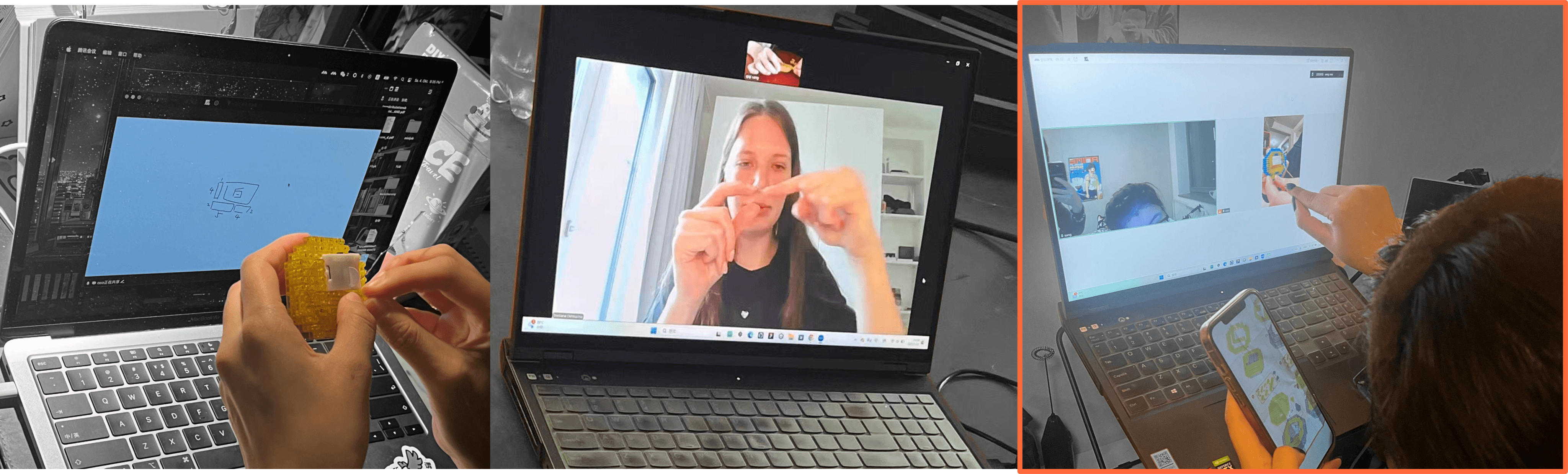
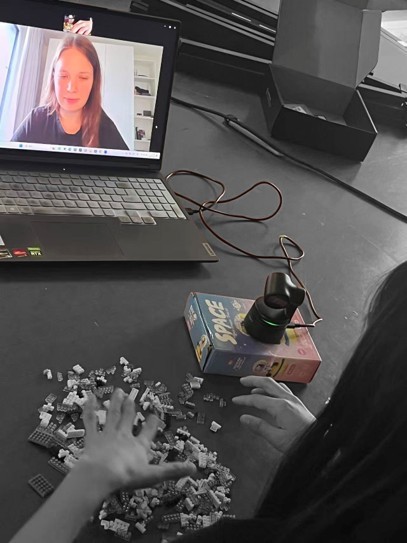
5 pairs completed a shared LEGO assembly task — once co-located, once over video chat.
One partner built, the other guided.
We logged preparation time, non-verbal cue use, and the frequency of interruptions and misunderstandings.
This told us where remote object communication breaks down — and why.


Key issues
Lack of shared spatial context and presence
Design Point
Create a sense of shared spatial presence
Form & Concept Exploration
A cardboard model was used to test the physical setup concept before committing to hardware.

The fixed top-down stage made the object's position consistently legible to the remote partner. A handheld webcam left them uncertain of what was framed.


Foldable screen as the remote interface — face on top, object view below — recreated the feeling of sitting across from someone. The spatial continuity felt natural: looking down at the object mirrored the physical gesture of leaning in to look at something together.
Three things we learned:
Prototype Testing
The same participants tried low-fidelity prototypes of the marking and indication mechanisms, simulated with a projector and tablet.
01
Direct placement beats directional controls
Users preferred clicking a location over directional pads. With speech available, elaborate directional UI only added load.
02
A calm marker reads best
A simple ring was clearest. A cursor-style arrow felt like an interface element. A hand icon added interpretation time.
03
Peripheral cues get missed
When attention is on the object, edge-of-area indicators disappear. Cues need to be on immediately beside the object.
Users who display items


Users who display items

Users who display items


Users who display items


What I Learned?
What it does answer:
that the core mechanism works, that direct placement beats directional control, and that projecting shared attention back onto a physical object is a viable direction worth pursuing.
What this project doesn't yet answer:
These are honest limitations — and clear next steps.
The two ends were never linked in real time end-to-end.
Testing relied on simulation. The gaze spot remains manually driven, not automatically captured.
The hardest thing I learned wasn't technical. It was how to hold a research finding and a design decision in the same hand — and know which one should give way.